How to Build Verification Loops in Claude Code With Skills
Learn how to turn the manual checks you already do into skills, so Claude Code tests, fixes, and verifies its own work automatically.
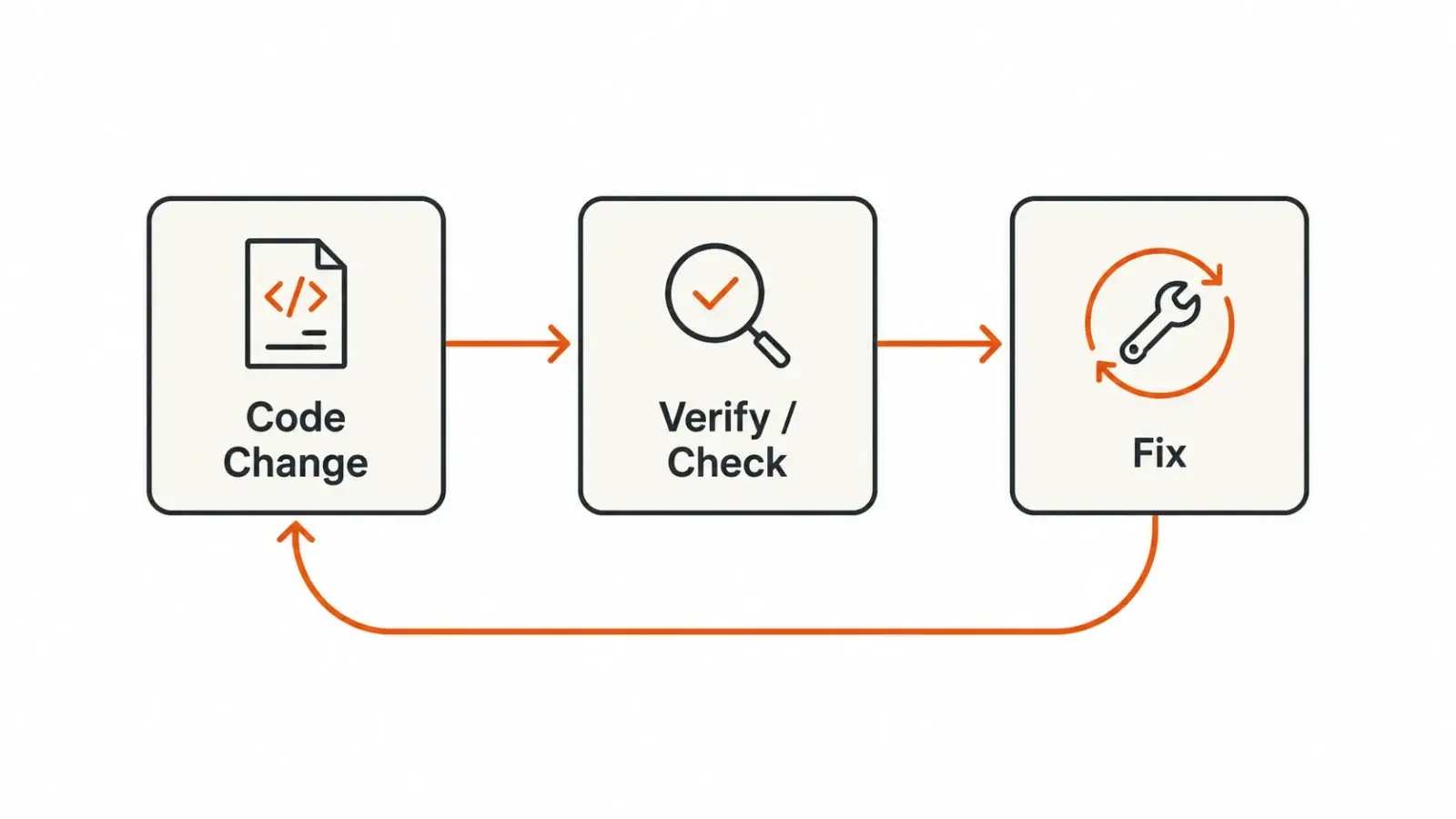
A verification loop is when Claude checks its own work and fixes what's broken before it hands the task back to you. You build one by turning a manual check you already do, like reading a diff or testing a button, into a skill that Claude runs on its own. Once that skill exists, you stop repeating yourself every session.
That's the whole idea. But getting there takes a few steps, and the order matters.
What is a verification loop in Claude Code?
A verification loop is a repeating check-and-fix cycle. Claude runs a test, a linter, or a custom check you wrote, and if something fails, it tries to fix the problem before moving on. Package that cycle as a skill, and it runs the same way every time, without you asking for it.
This sits inside a bigger pattern Anthropic calls the agentic loop: gather context, take action, verify the result, and if the check fails, go gather more context and try again. Claude already runs part of this automatically. It reads type errors. It sees a failed test. It notices a broken build. Those are signals it picks up on its own.
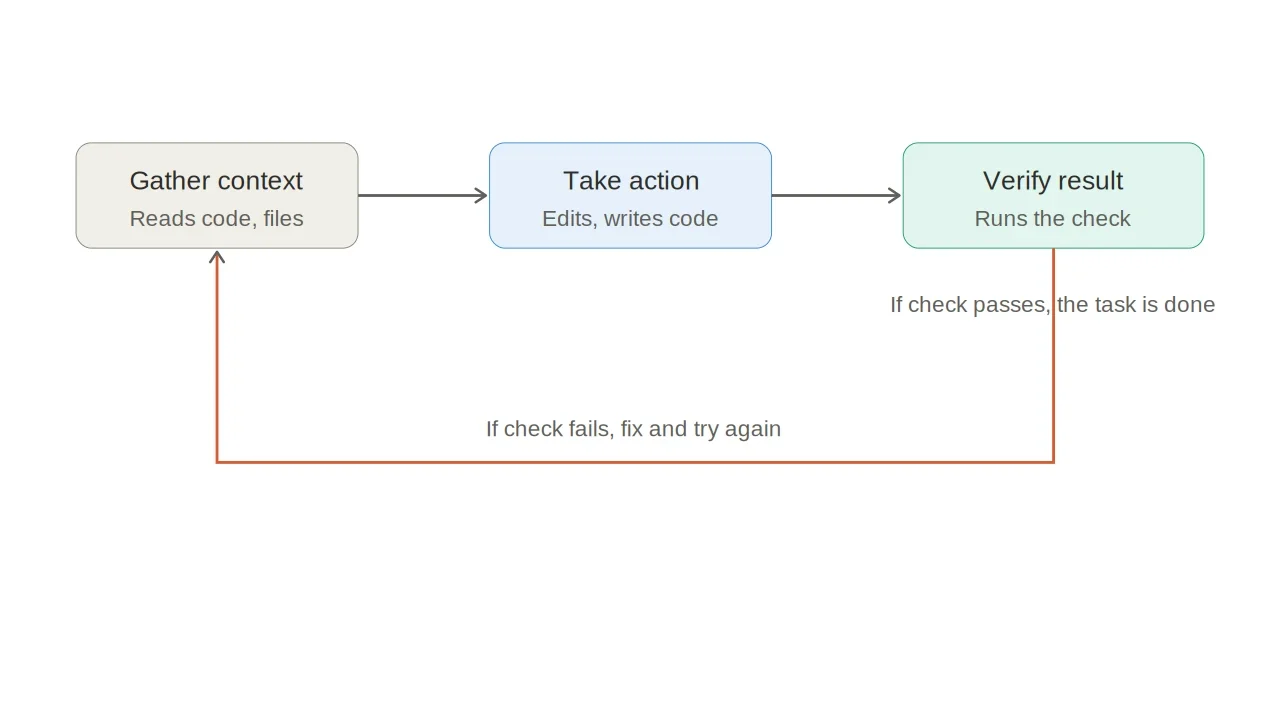
The gap is everything Claude can't infer just by looking at code. Maybe you always check that a new API route returns the right error format. Maybe you eyeball a UI change in the browser before calling it done. Those checks live in your head, not in the codebase, and that's exactly what a verification loop is for. Whatever you find yourself checking by hand, every single time, is a candidate.
Delba de Oliveira, who works on Anthropic's Claude Code team and wrote the original guide this article draws from, makes a simple point at the center of it: those manual steps are exactly what can be turned into loops, so Claude closes the feedback loop itself instead of waiting for you to catch the same mistake twice.
What does Claude Code already check for you?
Claude Code ships with several verification tools built in, so you don't need to build everything from scratch. Here's what's already there:
- The /verify skill. Builds the app, runs it, and watches what actually happens.
- Toolchain awareness. Claude reacts to linter output, type errors, and warnings from whatever tools your project uses. Listing your exact build and test commands in
CLAUDE.mdsaves it from guessing. - Code Review, a research preview. A managed multi-agent service runs an automated review pass on pull requests in repos you enable. You can fix the finding yourself, or comment @claude on it to close the loop automatically, assuming GitHub Actions is already wired up.
- GitHub Actions integration. Point a job at a verification skill, and the same checks that run on your machine fire on every push or pull request.
- Spec validation. A skill that checks a change against a markdown spec file sitting in your repo, and tries to fix anything that violates it.
- Rubrics in Claude Managed Agents, currently in beta. A separate grader agent scores the outcome against a rubric you define. Anything that fails loops back for another pass automatically.
Worth trying the built-in options first. Only build your own once you've confirmed the manual step isn't already covered.
How do you write your own verification check?
Start by noticing what you keep fixing by hand. Write it down the way you'd explain it to a new hire on their first day, in plain sentences, no jargon.
If you're stuck putting it into words, ask Claude for a best-practices version first, then edit it. The parts you change are usually the parts that matter most, the ones specific to how your team actually works.
Here's a detail that trips people up: the check doesn't have to be a generic linting rule. Project-specific and even judgment-based rules count too. Anthropic's own example is "reject any migration that drops a column without a backfill step." No off-the-shelf linter catches that. A rule written for your project will.
Turning a check into a skill
Once you've written the check in plain English, you need to hand it to Claude in a form it can run automatically. There are two ways to do this.
The fast way is to install the skill-creator plugin and let it interview you about your workflow:
plaintext
/skill-creator Create a skill for verifying frontend changes end-to-end. Interview me about my workflow.
The manual way is to write a SKILL.md file yourself and drop it in .claude/skills/. It doesn't need to be long. Here's a small but complete example that checks logging hygiene, making sure error logs include a request ID and never leak the actual request body:
plaintext
# .claude/skills/verify-log-hygiene/SKILL.md
---
name: verify-log-hygiene
description: Check that error logs include the request ID and never
  include the request body. Use when the diff touches error handling
  or logging.
allowed-tools: [Read, Edit, Grep]
---
Read the error-handling paths in the current diff.

For each log call on an error path, confirm it includes the request ID
and does not pass the request body, headers, or any user-supplied payload.

Report each violation with file:line, then fix it: add the request ID
where it's missing and strip the payload from the log call.
That's it. A short frontmatter block, then plain instructions describing what to check and what to do about it.
Where should the verification loop run?
Once the skill exists, you still have to decide how it fires. There are four patterns, and each one fits a different situation.
Standalone means you invoke it deliberately, after the work already exists. This fits checks that don't need to run on every single change, like a pre-commit security scan or a license-header audit. The tradeoff is that you have to remember to call it. If you notice you're running the same standalone skill after every change, that's the signal to move it further along.
Embedded means the check is appended straight into the skill that produces the work, so it fires automatically without you asking. A component-scaffolding skill that runs eslint on the new file before reporting done is a good example. This only works on skills you actually control. Built-in skills and ones managed by a plugin get overwritten on update, so embedding doesn't stick there.
Chained means one skill calls the next at the end, so several checks run back to back. According to de Oliveira's account of how Anthropic's own Claude Code team works day to day, the chain looks like this: /code-review looks for bugs, /simplify cleans up the diff, /verify confirms the app actually behaves correctly, and a custom /design skill checks the change against a DESIGN.md file if it touched the UI. Chaining is also how you add verification to a skill you can't edit directly. You write a small wrapper skill that calls the original, then calls your check. One caveat: chains use more tokens than a single skill call, so it's worth testing a chain before rolling it out to everyone.
On every PR is the last stop. Once a chain works well for your own changes, you point the same infrastructure at every pull request. A teammate's change now passes the same gate yours did, whether or not they remembered to run anything. This is where verification stops being a personal habit and becomes something the whole team relies on. One thing to hold off on: don't wire this up while the chain itself is still changing week to week. Every tweak becomes something the whole team notices.
A simple way to get started
If all of this feels like a lot, here's the short version, six steps, in order:
- Pick the manual follow-up you did most often this past week.
- Try the built-in /verify skill first and see if it already covers it.
- Write the procedure in plain English, like you're onboarding a new teammate.
- Hand it to skill-creator, or write the
SKILL.mdfile yourself. - Run it on a new task and confirm the check actually shows up in the output. Adjust if it doesn't.
- Once a few checks work well on their own, try chaining them into one flow.
The real payoff isn't the first skill you write. It's the second week, when Claude stops making the mistake you already told it about once. That's attention you get back for the work only you can do.
Sources

FAQ
Frequently Asked Questions
[ Related ]
More in Tips & Tutorials
How to Remove Claude Fable 5.1's Text Watermark
Claude Fable 5.1 is the first Claude model to ship with an invisible text watermark live from launch. Here's what it actually marks, who can check for it, and what genuinely removes it.


This Stealth Model Makes Claude Code Free. Here's How.
An anonymous model called Ox Alpha landed on OpenRouter at $0 per token, and Claude Code is one of its biggest consumers. Here is the exact setup, plus the speed, privacy and expiry costs nobody puts in the tutorial.
How to Write a CLAUDE.md File Claude Code Actually Follows
A good CLAUDE.md is short and specific, not long and thorough. Here's what actually belongs in one, what to cut, and why the line count matters more than most people realize.

How to Run an AI Chatbot Locally on Your Own PC
A step-by-step guide to running a private, offline AI chatbot on your own PC using free tools like Ollama and LM Studio, plus the hardware, models, and tradeoffs to know before you start.
Google Engineers' Best AI Prompts for Developers
Google Cloud asked ten of its own engineers what AI prompt they refuse to work without. The answers reveal a single pattern: turn AI into a skeptical second opinion, not an agreeable assistant.
Stop Guessing Why Your RAG Fails: Mastering Small Context Window Limits
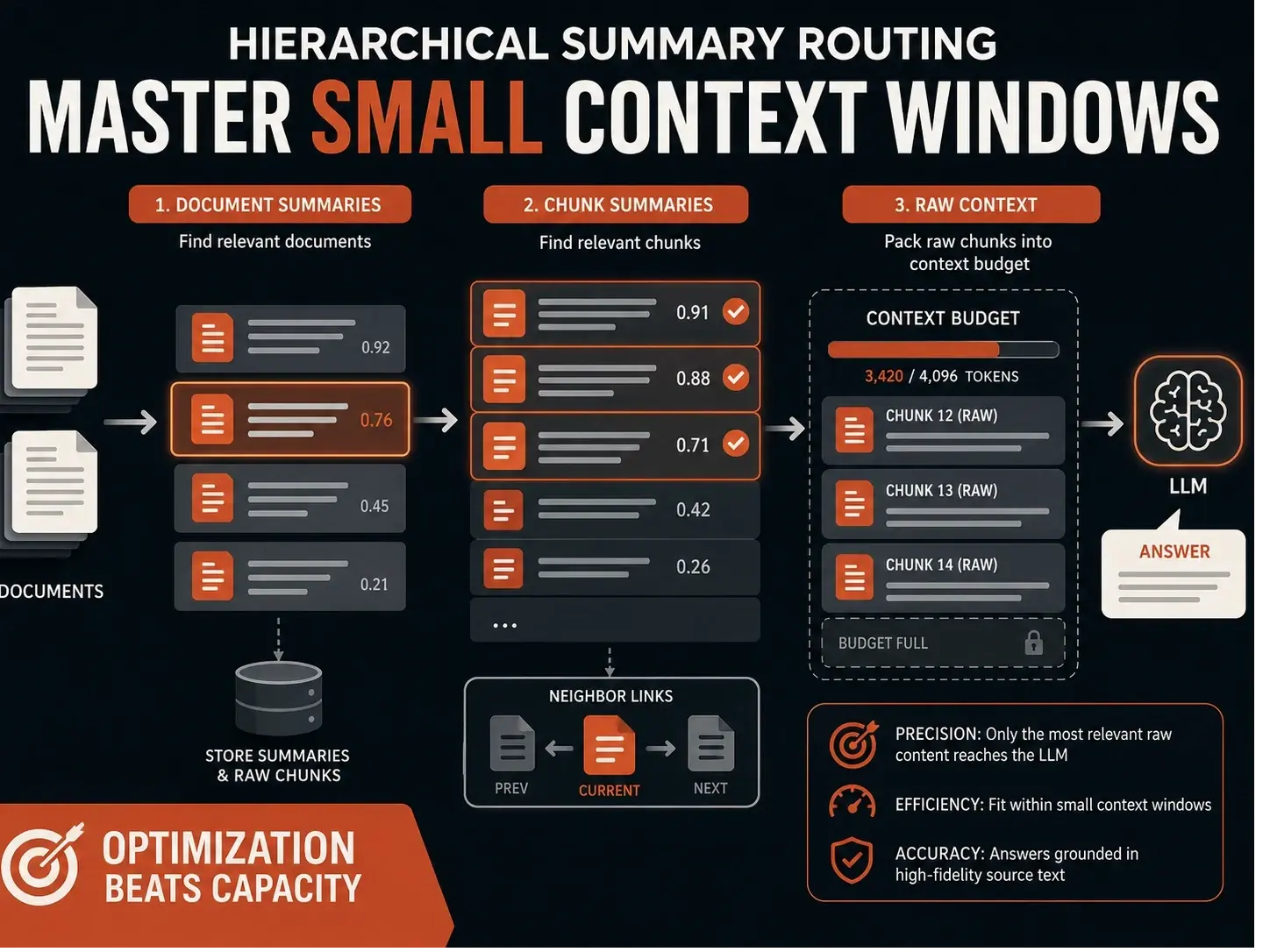
Standard RAG systems often fail on consumer hardware not because of poor retrieval, but because they lack a proper context budget. By implementing a hierarchical summary routing layer—using summaries for discovery and raw chunks for answering developers can ensure the most relevant evidence actually reaches the model, even within tight token constraints.